RAG: Ask Questions About Your PDFs
- ▸Understand the full Retrieval-Augmented Generation pipeline
- ▸Load and split documents into chunks
- ▸Embed, store, retrieve, and generate answers from your own data
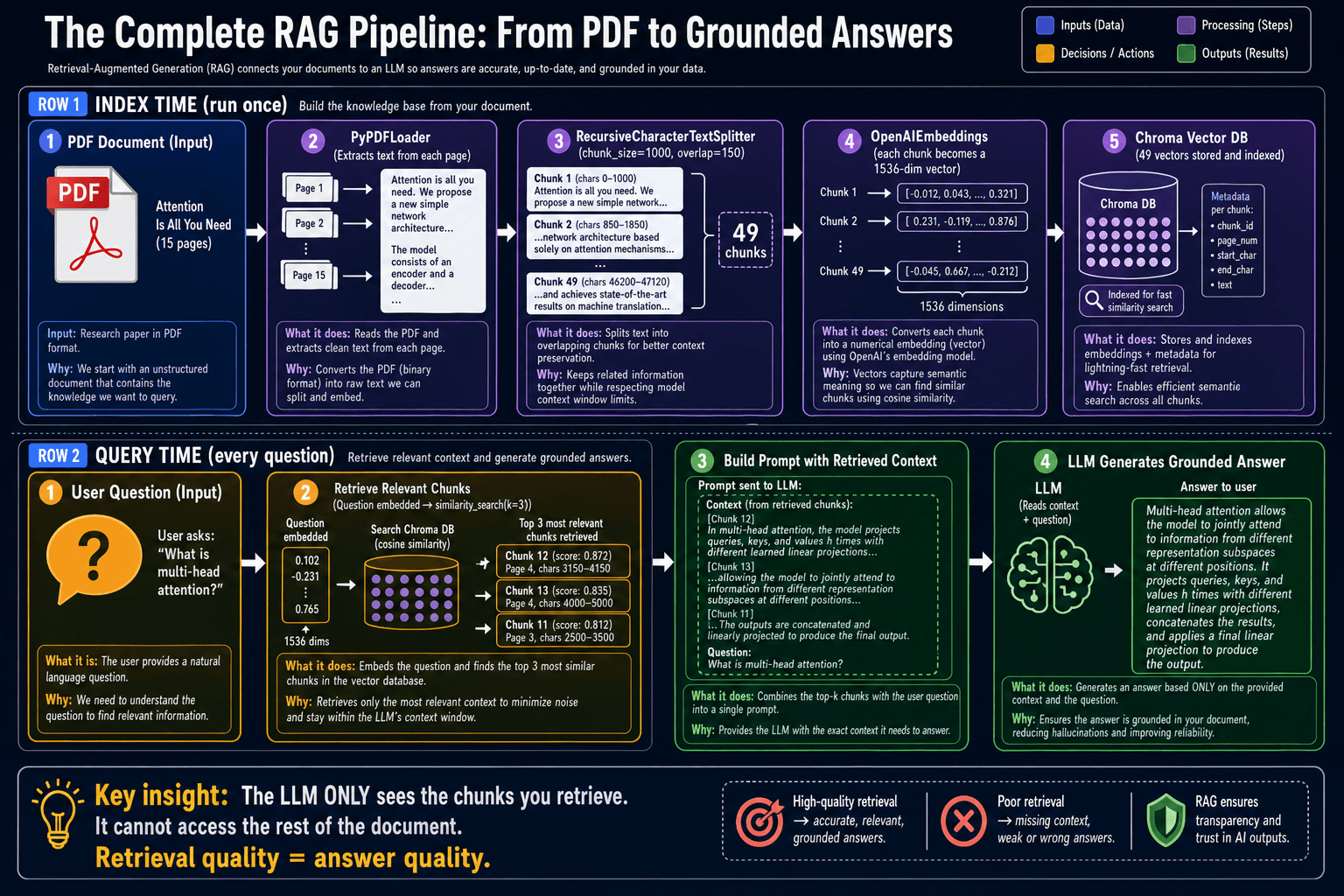
Your LLM does not know about your company docs, research papers, internal wikis, or any document created after its training cutoff. RAG (Retrieval-Augmented Generation) bridges this gap. Instead of retraining the model, you retrieve the relevant passages from your documents at query time and inject them into the prompt. The model answers based on what you put in front of it.
Step 1-2: Load and split the PDF
PyPDFLoader reads the PDF and returns a list of Document objects, one per page. RecursiveCharacterTextSplitter then divides each page into overlapping chunks. The overlap (150 characters) ensures that concepts spanning a chunk boundary are not lost — both chunks contain the bridging text.
from langchain_community.document_loaders import PyPDFLoader
from langchain_text_splitters import RecursiveCharacterTextSplitter

# Step 1: Load
loader = PyPDFLoader('docs/research_paper.pdf')
documents = loader.load()   # list of Document objects, one per page

# Step 2: Split into overlapping chunks
splitter = RecursiveCharacterTextSplitter(
    chunk_size=1000,    # ~750 words per chunk
    chunk_overlap=150,  # overlap prevents losing ideas at boundaries
)
chunks = splitter.split_documents(documents)
print(f'Created {len(chunks)} chunks from {len(documents)} pages')
Step 3-4: Embed and store in a vector database
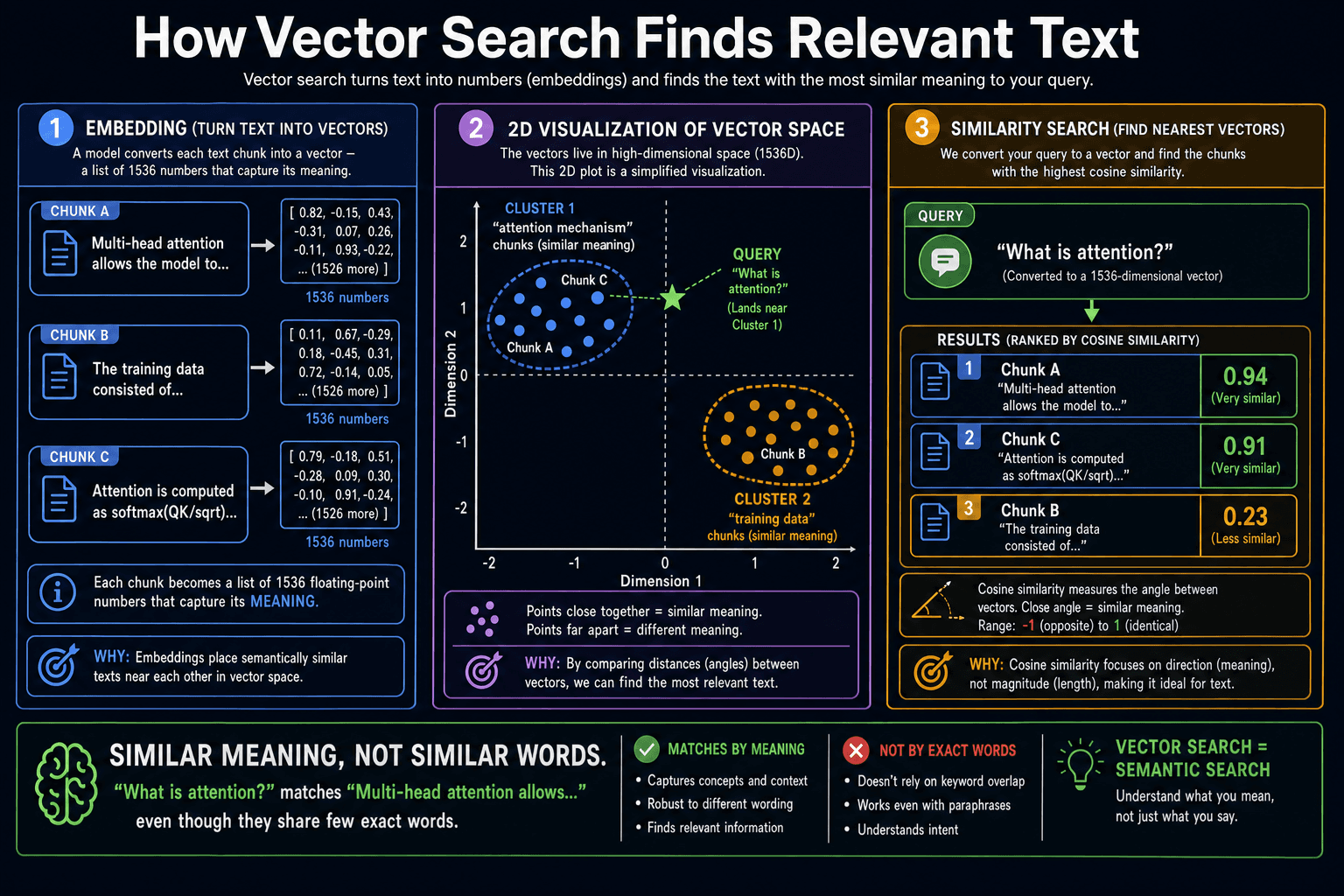
An embedding model converts each text chunk into a list of numbers (a vector) that encodes its meaning. Chunks about similar topics end up numerically close together in this vector space. Chroma stores these vectors on disk so you only compute them once, not on every query.
from langchain_openai import OpenAIEmbeddings
from langchain_chroma import Chroma

# Step 3: Create embeddings
embeddings = OpenAIEmbeddings(model='text-embedding-3-small')

# Step 4: Store in a vector database (persisted to disk)
vectorstore = Chroma.from_documents(
    documents=chunks,
    embedding=embeddings,
    persist_directory='./chroma_db',
)
print(f'Stored {vectorstore._collection.count()} vectors')
Step 5-6: Retrieve and generate
from langchain_core.messages import HumanMessage

def ask(question: str) -> str:
    # Step 5: Retrieve the 3 most relevant chunks
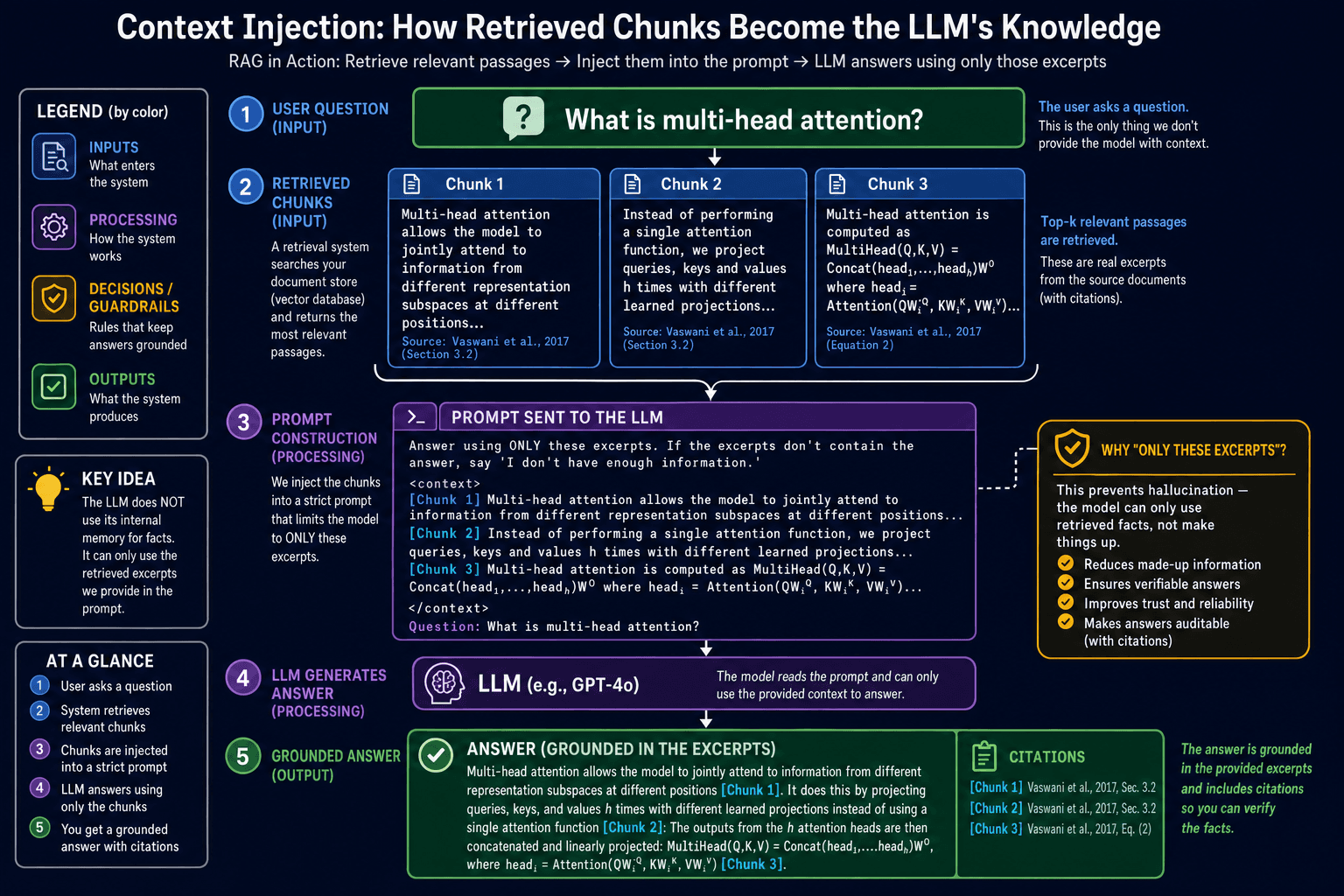
    relevant_chunks = vectorstore.similarity_search(question, k=3)  # ①
    context = '\n\n---\n\n'.join(chunk.page_content for chunk in relevant_chunks)  # ②

    # Step 6: Generate an answer grounded in the retrieved context
    prompt = (
        f'Answer the question based ONLY on the context below.\n\n'
        f'Context:\n{context}\n\n'
        f'Question: {question}'
    )
    response = model.invoke([HumanMessage(content=prompt)])          # ③
    return response.content

print(ask('What are the key findings of the paper?'))- ✓RAG = Load → Split → Embed → Store → Retrieve → Generate — six clear steps
- ✓Chunks overlap so ideas at boundaries are not lost between adjacent chunks
- ✓Embeddings convert text to vectors — similar meanings are numerically close
- ✓Only retrieved chunks go into the prompt — retrieval quality determines answer quality