Your First LLM Call
- ▸Make your first LLM call with LangChain
- ▸Understand SystemMessage, HumanMessage, and AIMessage
- ▸Stream tokens in real time
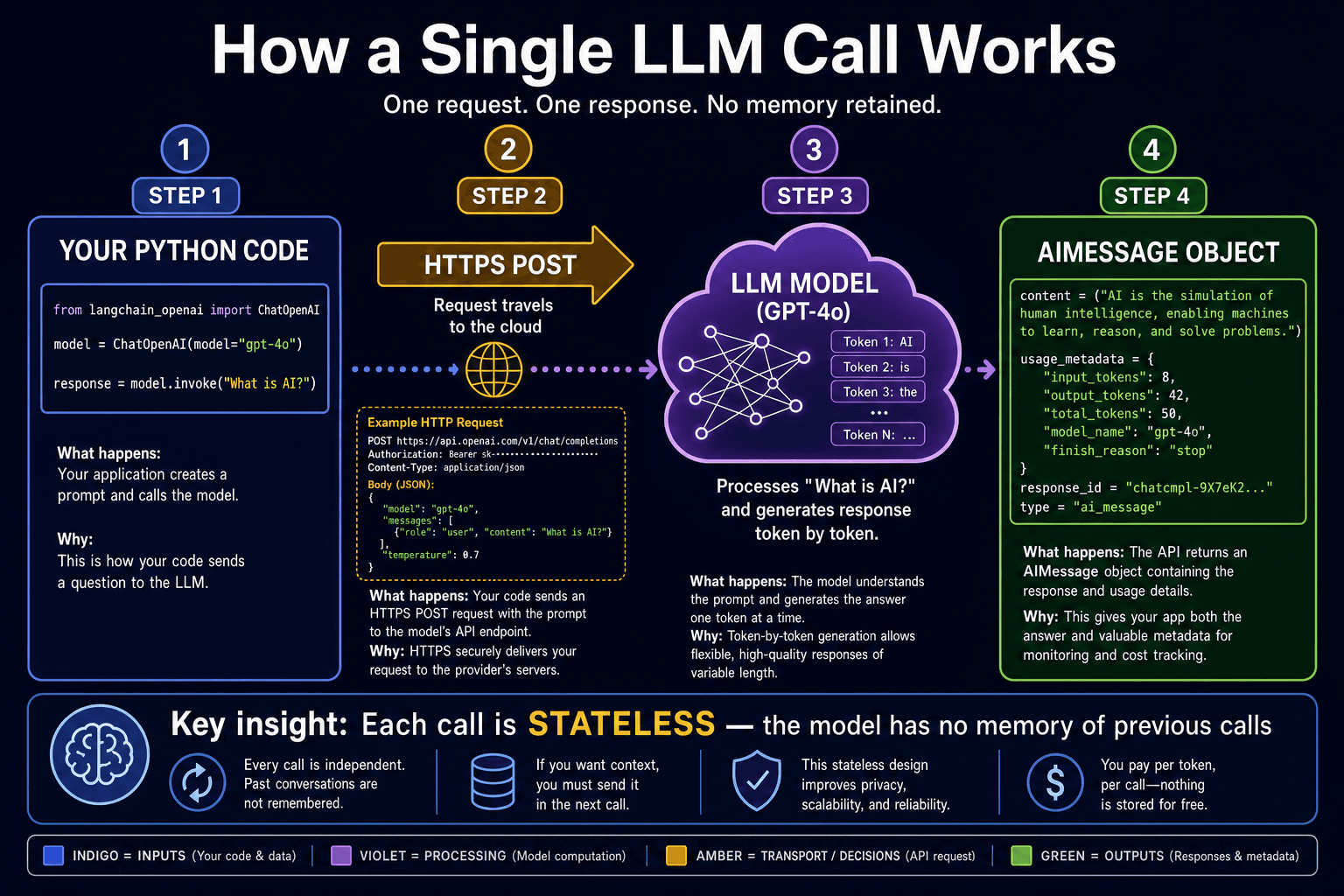
Create a model with init_chat_model
LangChain provides a universal factory function called init_chat_model() that can instantiate any supported LLM with a single string. The format is "provider:model-name" — for example, "openai:gpt-4o-mini" or "anthropic:claude-3-haiku-20240307". This means you write your application logic once and swap providers by changing a single string, not by rewriting API calls.
from langchain.chat_models import init_chat_model    # ①
model = init_chat_model('openai:gpt-4o-mini')        # ②
response = model.invoke('What is LangChain?')        # ③
print(response.content)                               # ④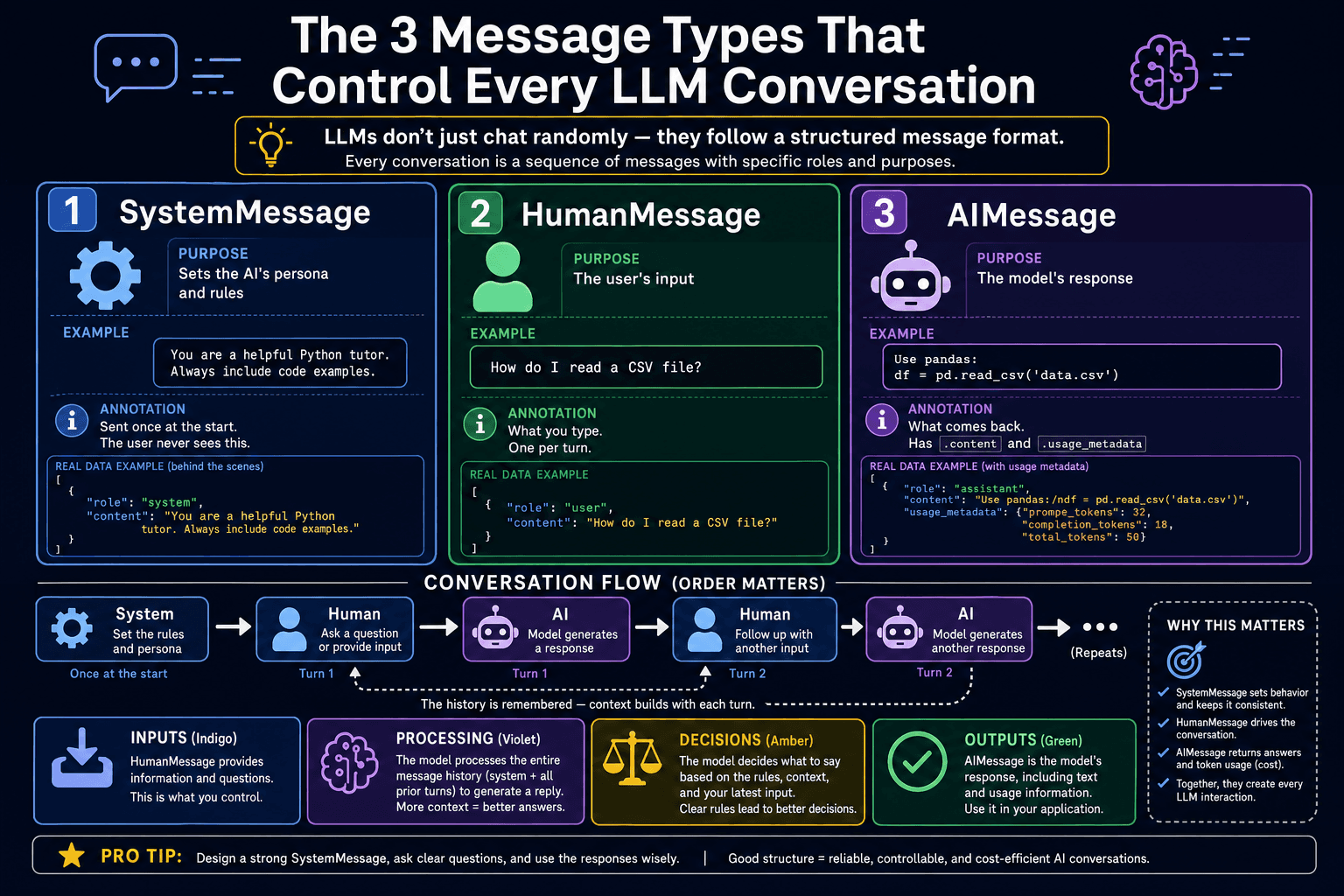
Message types: System, Human, AI
LangChain uses three message classes that map directly to the roles in any chat API. SystemMessage sets the model's persona, rules, and constraints — it is invisible to end users but shapes every reply. HumanMessage is the user's input — the question or task. AIMessage is the model's reply and is also what model.invoke() returns. When building multi-turn conversations you maintain a list of these messages and resend them on every call.
from langchain_core.messages import SystemMessage, HumanMessage

messages = [
    SystemMessage(content='You are a concise Python tutor. Use code examples.'),
    HumanMessage(content='What is a list comprehension?'),
]

response = model.invoke(messages)
print(response.content)
Streaming tokens
Instead of waiting for the entire response to be generated before printing anything, model.stream() delivers tokens as they arrive from the model. Each chunk is a partial AIMessage. Printing chunk.content as it arrives creates a responsive, word-by-word experience — the same effect you see in ChatGPT when text appears progressively.
for chunk in model.stream('Write a haiku about Python'):
    print(chunk.content, end='', flush=True)
print()  # newline at the end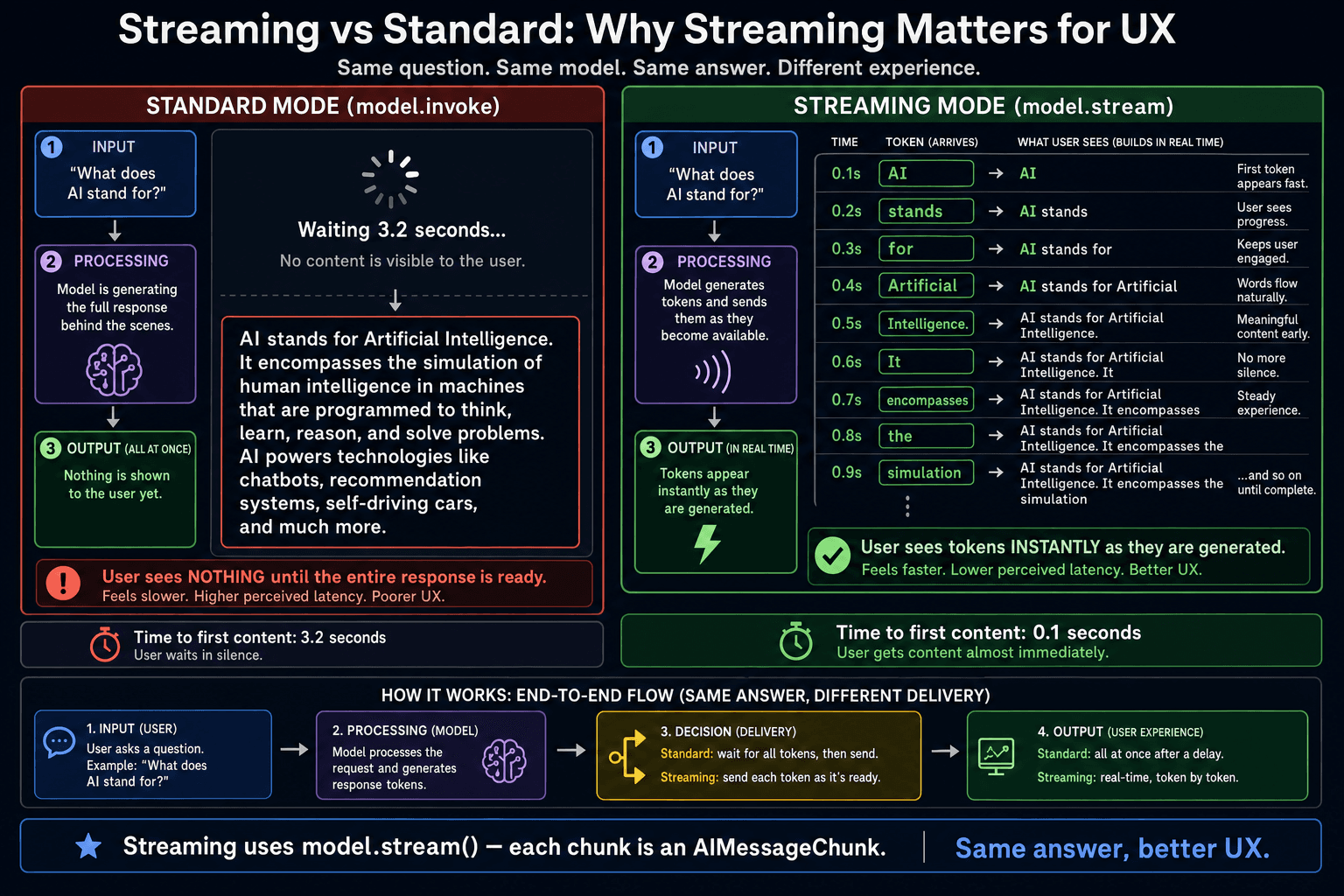
- ✓init_chat_model("provider:model-name") is a universal factory — one function for every provider
- ✓invoke() waits for the full reply; stream() delivers tokens progressively
- ✓Three message types: SystemMessage (rules), HumanMessage (user input), AIMessage (model reply)
- ✓Every invoke() is stateless — the model has zero memory of previous calls