Memory: Why LLMs Forget
- ▸Understand why LLMs are stateless by design
- ▸Simulate memory with manual conversation history
- ▸Manage context window limits with trim_messages
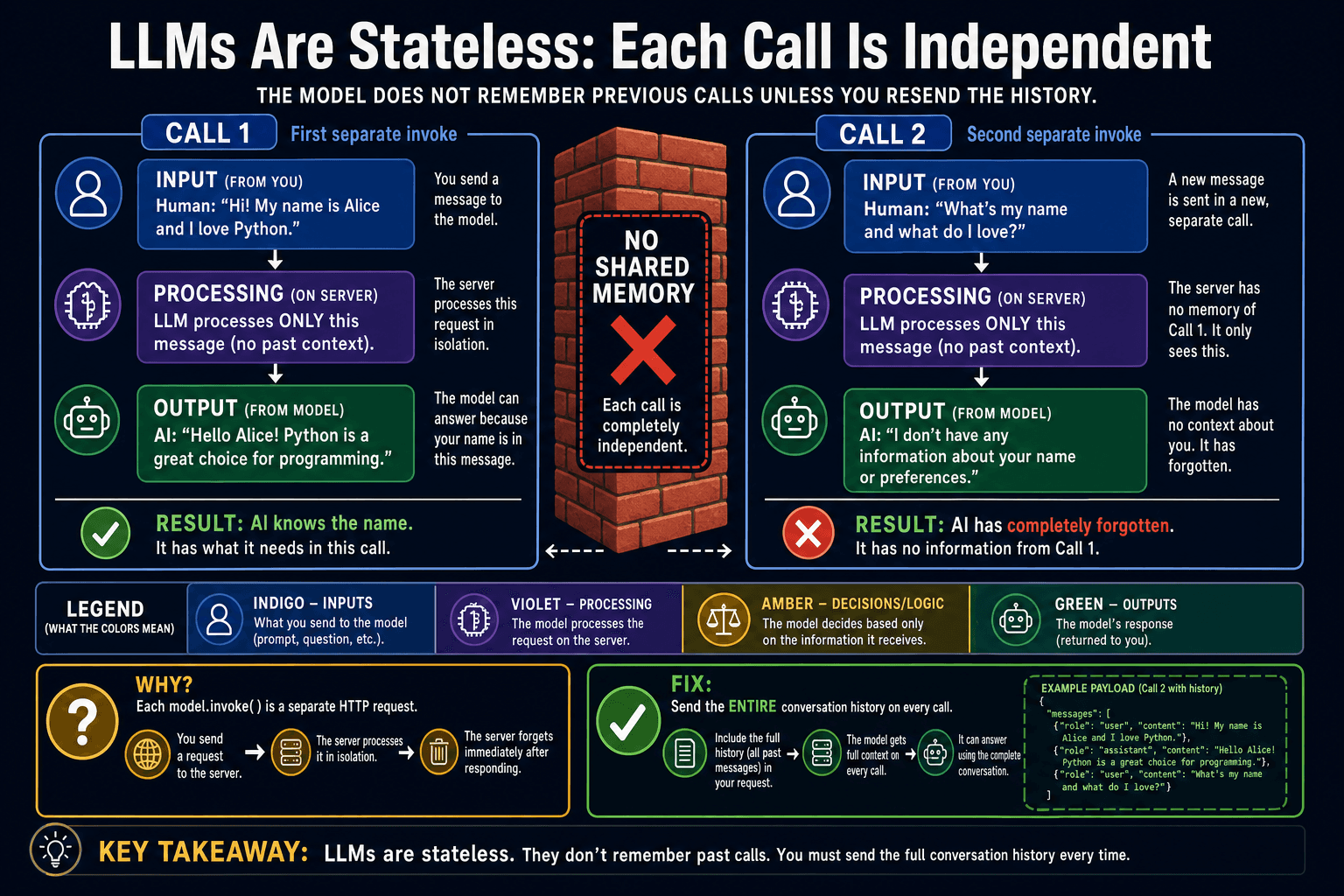
Proving statelessness
The best way to understand statelessness is to see it break. In the code below, we tell the model our name in the first call, then ask for it in the second call. The model has no idea — not because the model is bad, but because it literally never received that information.
from langchain.chat_models import init_chat_model
model = init_chat_model('openai:gpt-4o-mini')

# Call 1: tell the model your name
response1 = model.invoke('My name is Alice. Please remember it.')
print(response1.content)  # "Nice to meet you, Alice!"

# Call 2: completely fresh — the model never received Call 1
response2 = model.invoke('What is my name?')
print(response2.content)  # "I'm sorry, I don't know your name."
The fix: manual conversation history
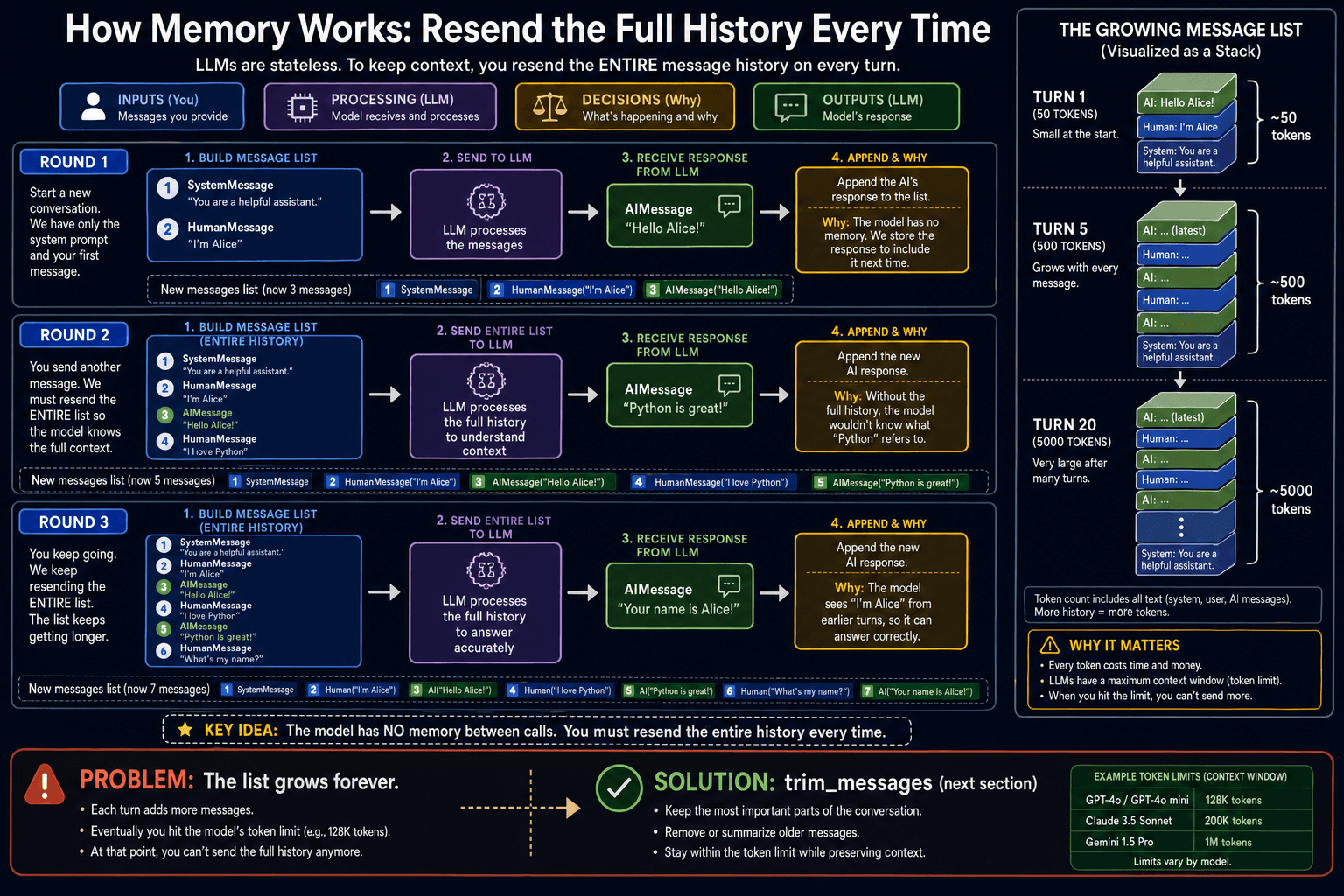
The solution is straightforward: maintain a list of messages yourself and resend the entire list on every call. Because the model sees the full conversation history, it appears to "remember" previous turns. This is exactly how ChatGPT, Claude.ai, and every other AI chatbot works under the hood.
from langchain_core.messages import SystemMessage, HumanMessage
from langchain.chat_models import init_chat_model

model = init_chat_model('openai:gpt-4o-mini')

history = [SystemMessage(content='You are a helpful assistant.')]  # ①

def chat(user_input: str) -> str:
    history.append(HumanMessage(content=user_input))  # ②
    response = model.invoke(history)                   # ③
    history.append(response)                           # ④
    return response.content

print(chat('My name is Alice.'))       # Nice to meet you, Alice!
print(chat('What city am I from?'))   # I don't know which city you're from.
print(chat('Actually I'm from Paris.'))  # Thanks, Alice from Paris!
print(chat('What is my name?')) # Your name is Alice.The context window problem
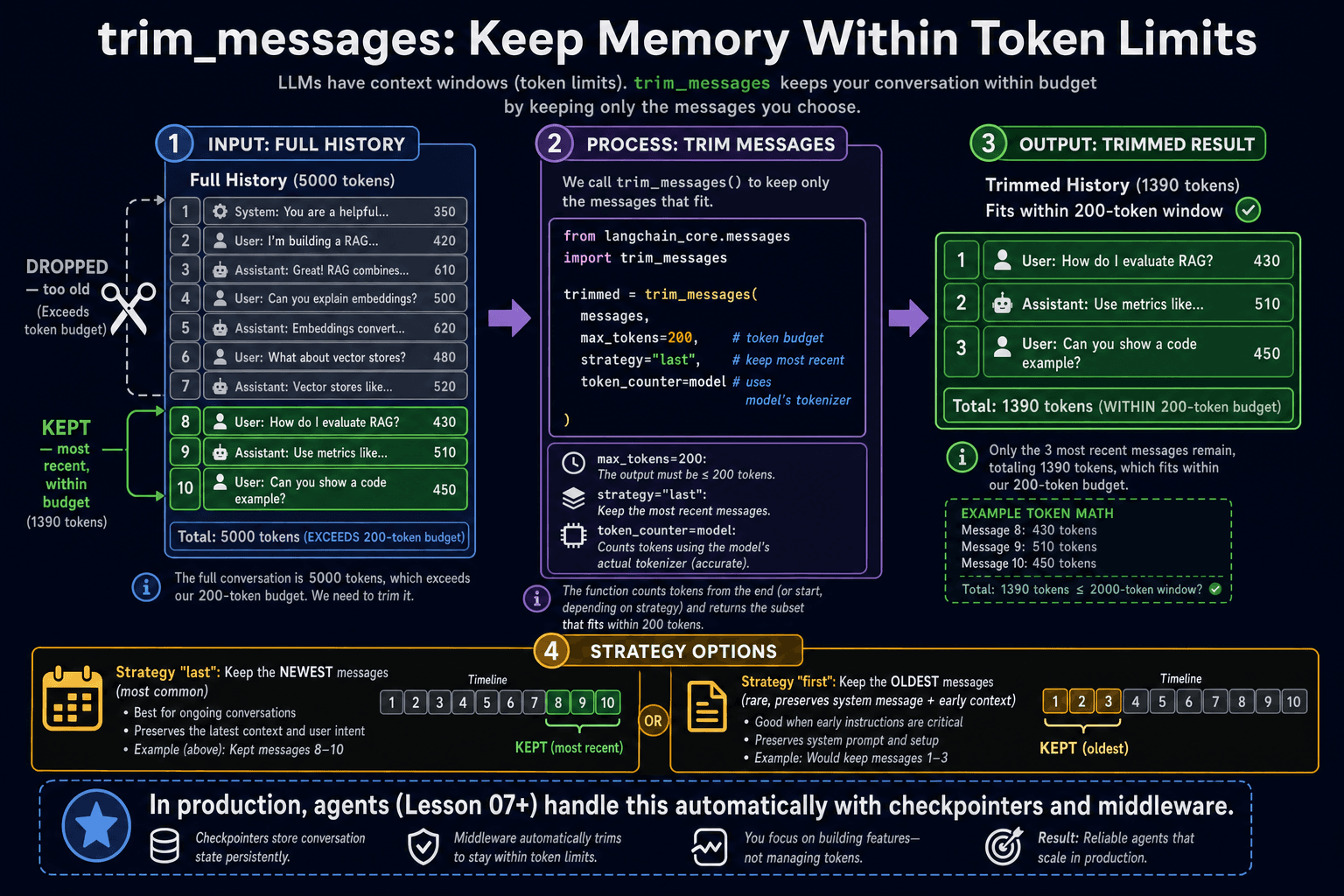
Models have a maximum context window — the total number of tokens they can process in a single call. GPT-4o-mini supports 128K tokens, which sounds enormous, but long conversations can fill it up. When you exceed the context window, the API raises an error. The solution is to trim old messages before they overflow.
from langchain_core.messages import trim_messages

# Keep only the most recent messages that fit within 200 tokens
trimmed = trim_messages(
    history,
    max_tokens=200,
    strategy='last',          # keep the most recent messages
    token_counter=model,      # use the model to count tokens accurately
    include_system=True,      # always keep the system message
)

response = model.invoke(trimmed)- ✓LLMs are stateless — each invoke() is an independent request with no shared state
- ✓Simulate memory by maintaining a history list and resending it on every call
- ✓Append both the user message AND the model's AIMessage reply each turn
- ✓trim_messages() prevents context window overflow in long conversations